
Looking for QuickGrade? Many teachers use it to calculate grades quickly.
But if you want faster results, mobile-friendly design, and modern features, it’s worth comparing QuickGrade with EasyQuickGrade.
This guide breaks down the key differences so you can choose the right grading tool.
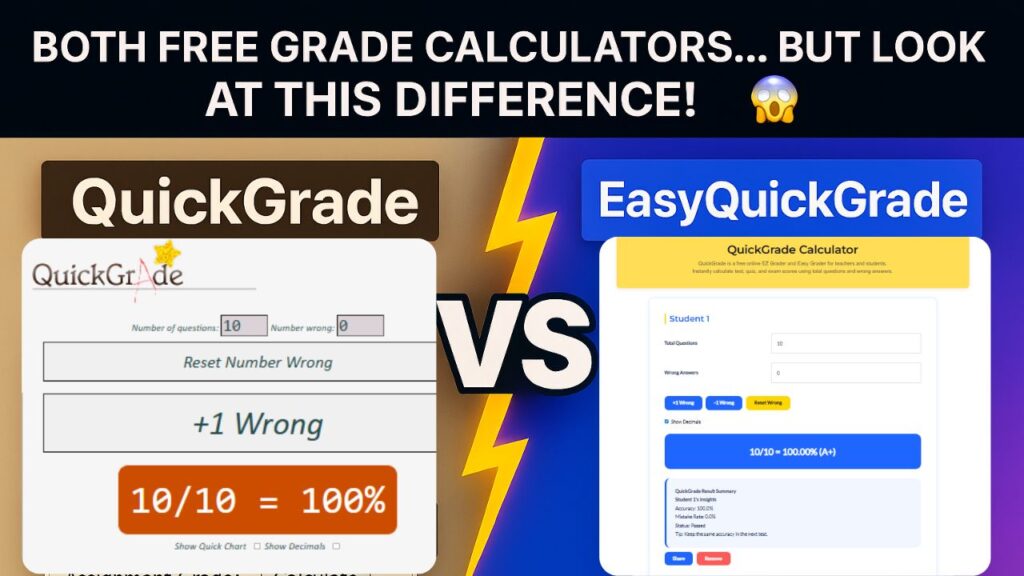
Feature Comparison
| Feature | QuickGrade | EasyQuickGrade |
|---|---|---|
| Speed | Fast | Instant, real-time results |
| Design | Basic | Modern, color-coded layout |
| Print Mode | Not available | One-click print-ready charts |
| Mobile Experience | Limited | Fully responsive, sticky header |
| Multiple Students | Not supported | Add unlimited students instantly |
| Share Results | Not available | One-click share button |
| Reset Form | Manual | One-click reset for all fields |
| Accessibility | Standard | Enhanced with dark mode and semantic HTML |
| Signup Requirement | None | None |
Want a faster alternative to QuickGrade? Try EasyQuickGrade free. No signup required.
Why EasyQuickGrade Is the Smarter Choice?
Real-Time Grade Calculation
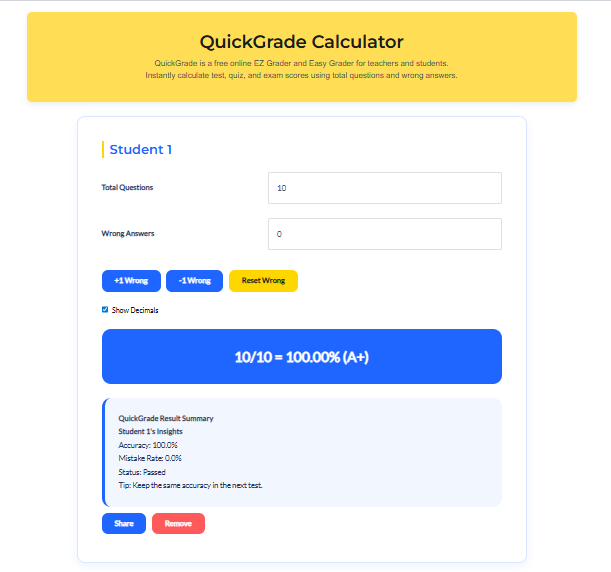
Just enter the total number of questions and wrong answers — EasyQuickGrade instantly calculates the percentage and letter grade without delay.
Add Multiple Students
Teachers can grade multiple students in one session. Simply click “Add Student” to open a new input section. Each student’s results are calculated separately and displayed clearly.
Share Results Instantly
With the built-in “Share” button, users can send grades via link or message — perfect for remote learning or quick feedback.
Print-Ready Charts
EasyQuickGrade generates clean, printable charts that are ideal for classroom records or student handouts. No formatting required.
Mobile-Optimized Interface
The tool is fully responsive, with a sticky calculator header that keeps controls accessible on phones and tablets.
One-Click Reset
Need to start over? The “Reset” button clears all fields instantly, saving time and reducing errors.
Conclusion
QuickGrade may be familiar, but EasyQuickGrade is built for today’s classrooms. With faster performance, better design, and powerful features like multi-student grading and instant sharing, it’s the smarter choice for teachers and students alike. Try EasyQuickGrade today and experience grading made easy.If you’ve been using QuickGrade and want something faster and easier, EasyQuickGrade is worth trying today.
Frequently Asked Questions
Is EasyQuickGrade better than QuickGrade?
Yes. While both tools calculate grades, EasyQuickGrade adds modern design, multi-student grading, sharing options, and print-ready charts — making it more versatile and classroom-friendly.
Can EasyQuickGrade be used for multiple choice tests?
Absolutely. Just enter the total number of questions and wrong answers — the calculator handles the rest.
Does EasyQuickGrade work on mobile devices?
Yes. It’s optimized for mobile use with a responsive layout and sticky header for easy access.
Do I need to sign up to use EasyQuickGrade?
No signup is required. The tool is free and instantly accessible.